
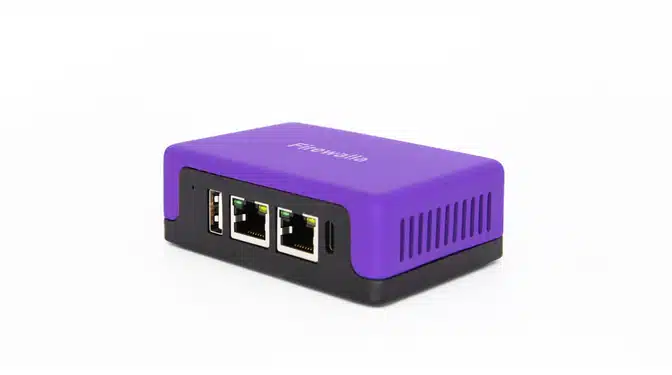
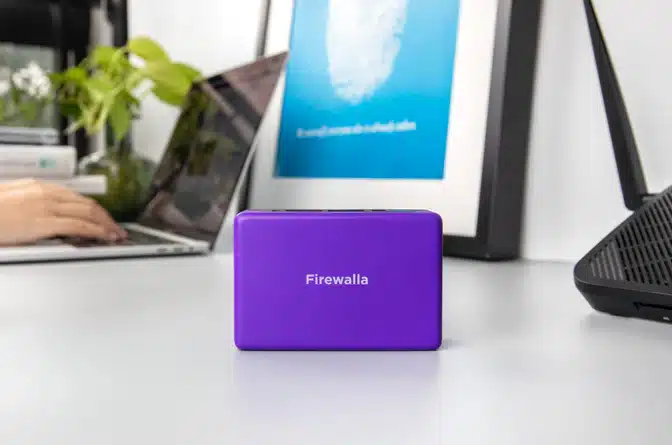
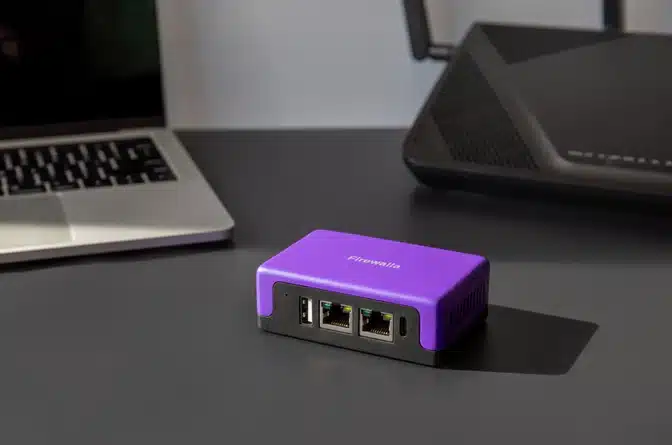
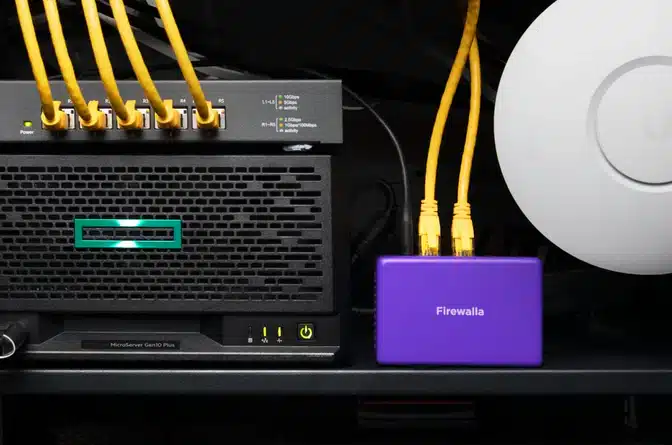
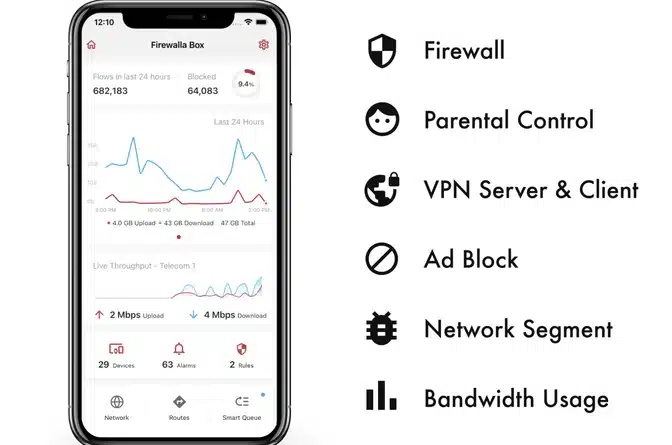
The Firewalla Purple is a powerful all-in-one gigabit cyber security firewall and router designed to protect your home network, remote office, or small business from intrusions, malware, and unauthorized data collection. Acting as a network-level guardian, it monitors all connected devices in real time, blocking malicious traffic, preventing ad tracking, and alerting you to suspicious activity — without requiring advanced technical knowledge to operate.
Ideal for privacy-conscious individuals, investigators managing sensitive case data, and security professionals securing client networks, the Firewalla Purple combines routing and deep packet inspection in a compact, easy-to-deploy unit that
- Real-time intrusion detection and network traffic monitoring
- Built-in ad blocking and anti-tracking across all connected devices
- VPN server and client support for secure remote access
- Simple mobile app management with no subscription fees required
Who the Purple is actually for
The Purple sits at the point where a household or a one-to-ten-person office has outgrown the equipment the internet provider supplied, but has no appetite for enterprise gear or the staff to run it. It is the model we recommend most often for a first firewall, because it covers a gigabit-class connection, includes Wi-Fi so it can stand alone in a small space, and produces the one thing a consumer router never gives you: a named, honest list of everything on your network and what each device is talking to.
That visibility is usually the first shock. Almost every network we look at contains something the owner cannot identify — a device a guest left connected, a camera set up by a contractor who has moved on, a smart appliance phoning home far more often than anyone expected. You cannot secure what you cannot see, and the Purple’s device inventory is where that work starts.
Deployment: three ways in, and the trade-offs
Decide how the unit will sit on the network before it arrives, because the answer shapes everything afterwards.
Router mode makes the Purple the gateway. It hands out addresses, routes traffic, and sees everything by default. This is the cleanest deployment and the one that gives complete coverage. Your existing router either retires or becomes an access point, and anything you relied on it for — port forwards, dynamic DNS, guest networks — is rebuilt in the Firewalla app, which takes an evening.
Bridge mode places the unit inline between the existing router and the rest of the network without changing addressing. Nothing else needs reconfiguring. You keep a second device in the chain, but the transition is close to invisible.
Simple mode takes over address assignment so traffic routes through the unit without any cabling change. It is the fastest way to be running, and it is the one with a hidden failure case: anything configured with a static address, or anything that ignores the handoff, is quietly outside the protection while appearing to be inside it. If you start here, verify that every device you care about actually shows up in the flow logs.
What it does once it is in place
Intrusion prevention matches outbound and inbound traffic against signature and reputation feeds and blocks connections to known-bad infrastructure — command-and-control servers, malware hosts, scanners sweeping your address. This is real protection and it is the layer most often over-read: it stops what is already known to be bad, which is a large category, not an exhaustive one.
DNS-level filtering blocks ads, trackers and a great deal of low-grade malvertising before a connection is ever opened, and it applies to every device including the ones that can never run an ad blocker — televisions, consoles, thermostats, appliances.
Per-device rules let you say things a consumer router cannot express: this camera may reach the internet but not other devices on this network; this child’s tablet has no internet after 9pm; this printer talks to nothing outside the building. Rules like these change the shape of an incident far more than any single blocked connection.
The VPN server is the feature with the highest security value for a small business. It gives you a way back into the office network from the road without exposing anything to the open internet — which is the alternative most small organisations reach for, and forwarded remote-desktop ports remain one of the most dependable ways a small company gets compromised.
What it will not do, said plainly
A firewall does not decrypt and inspect the contents of TLS traffic, and nearly all traffic is now TLS. It sees destinations, volumes, timing and reputation — not what is inside the connection. A convincing phishing page served over HTTPS from a domain registered an hour ago does not look obviously different from any other new site.
It does not protect a laptop once that laptop leaves the building. On hotel Wi-Fi or a phone hotspot, your perimeter is behind the device. Endpoint detection on each machine is a separate requirement, not an optional extra.
It does not protect cloud accounts. Microsoft 365 and Google Workspace are reachable from anywhere, and a stolen password with no multifactor authentication is a compromise that never touches your network. Business email compromise remains the most expensive category of loss for small organisations, and it is an identity problem rather than a perimeter one.
And it does not back anything up. A firewall lowers the probability of a ransomware event; tested, offline or immutable backups determine whether that event costs you a week or the business.
Sizing and honest expectations
Match the unit to the throughput you actually receive, not the number on your bill, and confirm the current inspected-throughput figures in the specification section above before ordering. A firewall that becomes the bottleneck gets its inspection turned off, which defeats the purchase entirely. Count devices honestly as well — a normal household passes forty connected things quickly once phones, laptops, televisions, speakers, cameras, thermostats and printers are included.
Expect to spend an evening on initial setup and perhaps fifteen minutes a month afterwards: reviewing new devices, tuning alerts down to the handful you will genuinely act on, and applying firmware. Default alerting is deliberately noisy; if you do not tune it in the first week, you will train yourself to dismiss the notification that eventually matters.
Where it fits in a real security stack
For a business there are four layers that matter: perimeter, endpoint, identity and recovery. The Purple covers the first well, at a price that makes sense for an office that cannot justify enterprise hardware. The other three still need answers — endpoint detection everywhere, multifactor authentication on email and remote access, and backups someone has actually restored from in a test.
If you want to know where you stand across all four before spending anything further, our free Cyber Risk Check produces a prioritised list in a couple of minutes, and the Firewalla buyer’s guide compares this unit against the rest of the line.

Reviews
There are no reviews yet.