
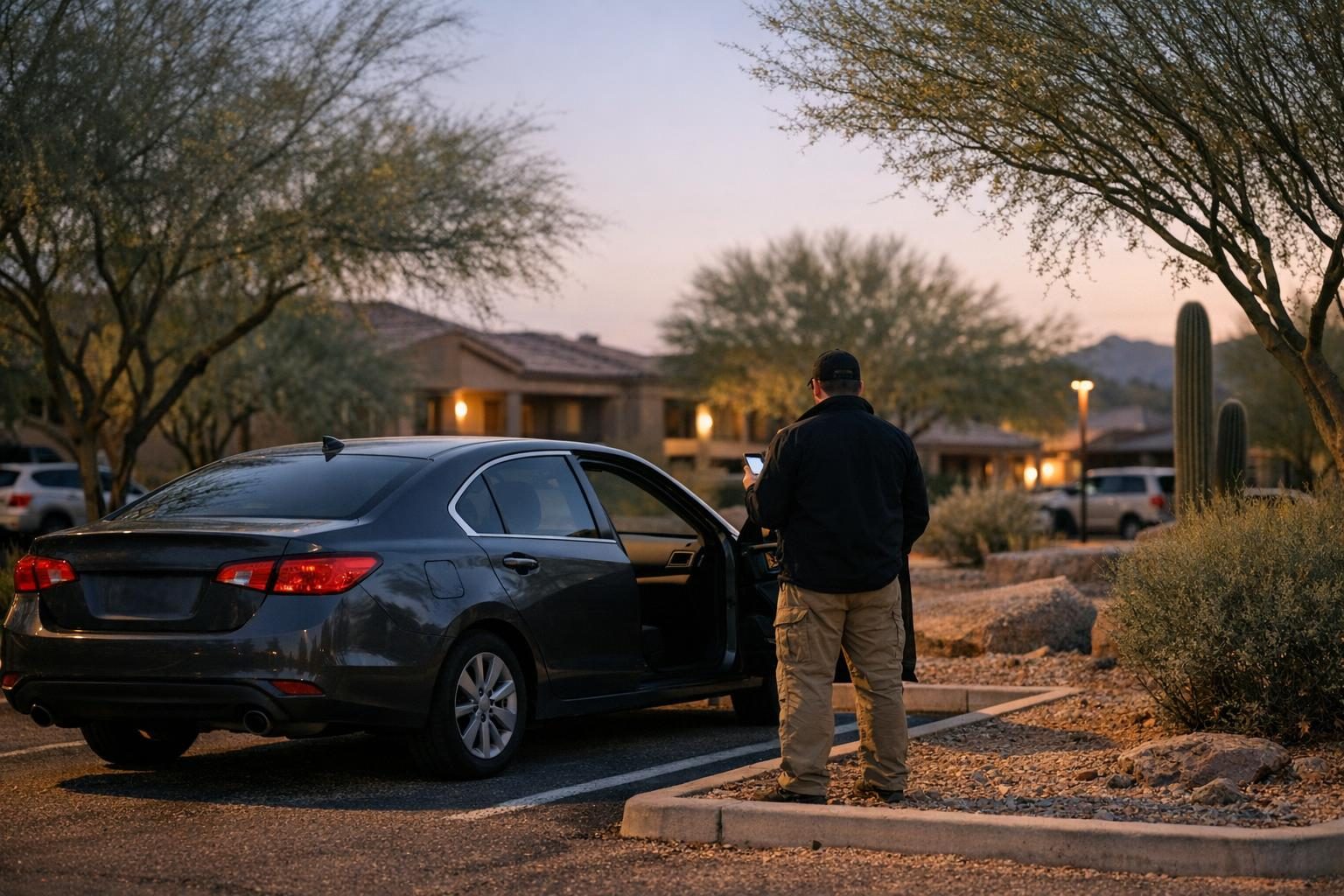
Connected car tracking happens when someone uses your vehicle’s owner app, a shared phone account or a hidden Bluetooth tag to follow where you go. It rarely needs special skills. A former partner who set up the car app, still knows your Apple Account password or slipped an AirTag under a seat can often see your location in real time. If you are in immediate danger, call 911.
This guide covers the warning signs, where to look without tipping anyone off, and how to keep evidence. If you want an examiner to check your phone, car app and accounts, our spyware and stalkerware detection team does that work with safety planning built in.
If the person watching you is a current or former partner, advocates at the National Domestic Violence Hotline offer free, confidential help 24/7 by chat and other channels. Reach out from a device the other person has never touched.
Key takeaways
- Connected car tracking often runs through accounts, not hidden hardware: car owner apps, shared Apple or Google accounts and home security apps.
- Unknown tracker alerts on iPhone and Android are a real signal. Photograph the details before you disable anything.
- Changing passwords, removing drivers or stopping location sharing can alert the other person. Plan for safety first.
- Preserve before you remove: screenshots, photos taken with a second device and a dated log protect your options.
- The FCC opened a 2024 proceeding on connected cars under the Safe Connections Act; check the current status as of October 2026.
Where this guidance comes from. We built this article from primary and official sources: the FTC’s consumer guidance on stalkerware, FCC releases and its 2024 notice on connected car services, the federal line-separation rule in 47 CFR 64.6402, Apple and Google support documentation on trackers and location sharing, and the NNEDV Safety Net Project’s guides for survivors. We add lessons from our veteran-led team’s forensic examinations.
What connected car tracking looks like in real life
The FCC’s April 2024 notice describes vehicles equipped with hands-free communication, real-time location and other connectivity tools, and notes news reports that these services have been used to stalk, harass and revictimize survivors of domestic violence.
Tracking usually arrives through one of four doors.
Vehicle owner apps and built-in connected services
Many newer vehicles pair with a manufacturer app that can show location, lock and unlock doors, start the engine or sound the horn. The NNEDV Safety Net Project warns that a person with access to the car’s connected account could monitor the location of the car or control features like volume, speed, alarms or locks, and that car usage data is stored in the account.
Two gaps come up again and again. A former owner may never have unsynced their app from the car after a sale or a split. And someone may have been added as an authorized driver who keeps access long after they should.
Shared Apple Account or Google account location sharing
If someone knows your Apple Account password, or you once shared your location in Find My, they may see where your phone is. Google’s help center explains that Location Sharing in Google Maps, Messages, Find Hub and Family Link can show chosen people your name, photo, real-time location and battery status.
Google Location Sharing is off by default, so someone turned it on. Note that before you change it.
AirTags and other Bluetooth trackers
Small trackers can be hidden in a trunk, wheel well or bag. Apple shows an “AirTag Found Moving With You” alert when an AirTag separated from its owner travels with you, and Google sends unknown tracker alerts on Android 6 and later when someone else’s tracker is far from its owner’s phone and moving with you.
For a physical search of a vehicle, our guide on how to detect a hidden GPS tracker on your car walks through where devices are usually hidden.
Home security and smart home apps
Doorbells, indoor cameras and smart locks keep activity logs that show when you leave and return. Apple’s Safety Check can review Home accessory sharing on iPhone, but each third-party camera or alarm app keeps its own user list that you have to check inside that app.
Warning signs someone is tracking you through your car or apps
The FTC’s stalkerware guidance suggests two sets of questions. First, about the other person: do they know your exact location when you have not told them, or details from private conversations? Second, about your devices: is the battery draining faster, is data use up, does the phone run hot or restart on its own?
For connected car tracking, add vehicle-specific signs: the car locks or unlocks when you did not touch it, the alarm sounds remotely, or the person comments on where you parked. NNEDV suggests recording events like the sound of doors locking when you did not lock them, using a device the abusive person cannot access. Each sign can have an innocent cause, so the pattern matters. Our article on how to tell if your phone has spyware explains which forensic signs carry more weight.
| Where tracking can come from | Warning signs | Where to look (quietly) | Can a change alert the other person? |
|---|---|---|---|
| Vehicle owner app or built-in connected service | Doors lock on their own, alarm sounds, they know where you parked | Account owner, authorized drivers, linked phones, trip history | Yes, often |
| Shared Apple Account or Find My | They know your location or details only your iPhone holds | Find My sharing, Family Sharing, signed-in devices | Possibly |
| Google account location sharing | They see your live location in Google Maps | Google Account, Location Sharing | Possibly |
| AirTag or other Bluetooth tracker | A tracker alert or a beeping item you do not own | Trunk, wheel wells, bags; run a tracker scan | Yes, updates stop |
| Home security or smart home app | They know when you come and go | User and shared access lists in each app | Yes, often |
Safety first: plan before you change anything
This is the step people skip. The FTC warns that removing stalkerware or cutting off access could tip off your abuser, and that someone who loses access may escalate. NNEDV gives the same warning about car apps: the abusive person may know if you make changes, and changes can erase evidence.
Before you remove anyone or reset anything, talk through a safety plan with an advocate. NNEDV notes that borrowing a car or using public transit can be a safer interim option. If anyone is in immediate danger, call 911.
Use a safe device for research and for contacting help, such as a trusted person’s phone or a library computer, as the FTC advises. If the tracking is part of a wider pattern of following or threats, see our stalking threat assessment and response guide.
How to check for connected car tracking without tipping anyone off
With a safety plan in place, look before you touch. The goal is to see and record, not to change settings.
- Start a log. Write the date, time, place and what happened each time the person knew something they should not.
- Look at the vehicle owner app. Check who the account owner is, which drivers or users are listed, which phones are linked and whether trip or location history is on. Photograph each screen with a second device.
- Review Apple sharing. On iOS 16 or later, Apple’s Safety Check has a Manage Sharing and Access path that lets you review who can see your location in Find My, shared Home accessories, Shared Maps ETA, photos, notes and more, one person at a time. Review first; do not tap Emergency Reset until your plan says it is time.
- Review Google sharing. In your Google Account, open People and sharing, then Location Sharing, to see who can view your location. Record what you find.
- Scan for trackers. On Android, Google’s path is Settings, Safety and Emergency, Unknown tracker alerts, Scan now. On iPhone, act on any tracker alert you receive.
- Check home security apps. Open each camera, doorbell or alarm app and record the users, shared access and connected devices.
- Decide with your advocate or examiner. Choose what to change, in what order and when, based on your safety plan.
If you find an AirTag, Apple says holding your iPhone near it shows its serial number and the last four digits of the owner’s phone number. Photograph that screen before you disable it.
Want a trained examiner to do this with you? We check phones, car apps and accounts in a fixed order, preserve evidence before anything changes, and coordinate with your advocate or attorney. Request a spyware and tracking check online from a device the other person has never used, or book a confidential consultation online.
Preserve before you remove: documenting the evidence
Evidence is easiest to keep before you change anything. The FTC says to document abuse before you reset or replace a phone, and NNEDV notes that changing car account settings can erase evidence.
- Screenshots, with care. NNEDV notes that some messaging apps notify the other person when you take a screenshot. When in doubt, photograph the screen with a second device.
- Account screens. Capture authorized driver lists, linked devices, sharing lists and sign-in history from each app.
- Tracker details. Record the serial number screen, where the tracker was found and when, and keep the device itself in a safe place if your advocate or police advise it.
- Original emails. Keep originals rather than forwarding them, since NNEDV explains that forwarded email loses header information.
A forensic acquisition goes further than screenshots. It captures the phone or account with hash verification and chain of custody, so findings can be explained to a judge. Our stalkerware detection and safe removal guide explains what an examiner looks for on the phone itself.
The Safe Connections Act and FCC action on connected car tracking
Congress passed the Safe Connections Act of 2022 (Public Law 117-223) after finding that abusers increasingly use communications tools to monitor and control victims. The FCC adopted implementing rules in a Report and Order on November 16, 2023 (FCC 23-96).
The core protection is line separation. Under 47 CFR 64.6402, a covered mobile provider must separate a survivor’s line, or the abuser’s line, from a shared plan no later than close of business two business days after receiving a completed request.
Cars came next. On January 11, 2024, the FCC Chairwoman wrote to nine of the largest automakers and to AT&T, T-Mobile and Verizon, asking about connected car systems, plans to help survivors disconnect from abusers and how geolocation data is handled. On April 3, 2024, the Commission adopted a Further Notice of Proposed Rulemaking (FCC 24-38, WC Docket 22-238) asking whether its Safe Connections Act rules should change to address connected car services.
Rules in this area can change, so check the FCC docket for the status as of October 2026. Whether tracking a vehicle is lawful also depends on state law and who owns the car; our explainer on whether GPS vehicle tracking is legal in Arizona covers the Arizona side. This is general information, not legal advice. Confirm your specific options with an attorney or advocate.
How Honeybadger helps with connected car tracking concerns
Honeybadger Solutions is a veteran-led digital forensics and investigations firm based in Casa Grande, Arizona, and an Arizona DPS-licensed private investigation agency (License No. 1759795). Our spyware and stalkerware detection service follows a fixed order: plan safety first, preserve the evidence second, and remediate third, on your timeline.
- Account compromise review. For your own Apple Account and iCloud, Google, Microsoft, social media, connected car and home security accounts, we review signed-in devices, sharing, recovery settings and access history, and preserve each account before anything changes.
- Phone and computer examination. We acquire the device with chain of custody and check for stalkerware, management profiles and remote-access tools.
- Plain-language report. Each finding is classified as confirmed, suspicious, benign or not determinable, with screenshots, hash values and stated limits.
- Remediation plan. A step-by-step order for what to remove, what to reset and which accounts to secure, coordinated with your safety plan.
- Nationwide reach. Clients outside Arizona can use a remote collection kit or cloud account extraction for their own accounts.
Tell us on the form how and when it is safe to reach you, and send it from a device the other person has never had access to. You can request service online or book a consultation using the buttons below.
Why the online intake is faster than a phone call. The request takes about two minutes. Picking the service routes it straight to the specialist team that handles that type of case, so there is no phone tag and no waiting for a call-back to explain it all again. For anything happening right now, use the urgent intake form.
Frequently asked questions
Can someone track my car through the manufacturer’s app without a GPS device?
Yes, if they still have access to the vehicle’s connected account. The NNEDV Safety Net Project notes that a person with account access may be able to see the car’s location and control features such as locks or alarms, and that a former owner may never have disconnected their app from the car.
Will the other person know if I remove them from my car app or stop location sharing?
They might. NNEDV warns that the abusive person may know if you change account settings, and the FTC warns that cutting off access can tip off an abuser and that abuse may escalate. Talk with an advocate and make a safety plan before you change anything.
What should I do if my iPhone says an AirTag is moving with me?
Apple says to tap the alert, play a sound to find it, and hold your iPhone near the AirTag to see its serial number. Photograph that screen with another device before you disable it. If you feel unsafe, contact local law enforcement.
Can an Android phone detect an AirTag or other tracker?
Yes. Google’s help center says Android 6 and later can show unknown tracker alerts, and you can run a manual scan from Settings, Safety and Emergency, Unknown tracker alerts, Scan now.
Does the Safe Connections Act cover my car?
The Safe Connections Act of 2022 and the FCC’s 2023 rules focus on separating a survivor’s line from a shared mobile phone plan. In April 2024 the FCC opened a proceeding asking how those protections should apply to connected car services. Check FCC docket WC 22-238 for its status as of October 2026.
Should I factory reset my phone or sell my car to stop the tracking?
Not before you preserve evidence and plan for safety. The FTC advises documenting abuse before resetting or replacing a phone, and NNEDV notes that changes can erase evidence. An examiner can preserve the data first.
Sources and further reading
- FTC: Stalkerware, What To Know — signs and safety-first steps.
- FCC 24-38: Further Notice of Proposed Rulemaking on connected car services (April 2024) — connected car proceeding.
- FCC news release, January 11, 2024 — letters to automakers and carriers.
- FCC news release, April 8, 2024 — proceeding launch.
- 47 CFR 64.6402 (eCFR) — line separation deadline.
- Apple Support: alerts that an AirTag or Find My accessory is with you — AirTag alerts.
- Apple Personal Safety User Guide: How Safety Check works — Safety Check options.
- Apple Personal Safety User Guide: Safety Check FAQ — what Safety Check reviews.
- Android Help: Find unknown trackers — Android tracker scans.
- Google Account Help: Manage your Location Sharing settings — Google location sharing.
- NNEDV Safety Net Project: Connected Cars, Privacy and Security for Survivors — car account risks.
- NNEDV Safety Net Project: Survivor Safety and Connected Cars — trackers and escalation risk.
- NNEDV Safety Net Project: Documentation Tips — recording evidence.
- National Domestic Violence Hotline — advocacy and safety planning.
Written and reviewed by the Honeybadger Solutions security and investigations team, a veteran-led Arizona firm (Arizona DPS private investigation agency license No. 1759795). Facts checked against the cited sources on October 2, 2026. This article is general information, not legal advice.
Browse by topic
Security guard services · Private investigations · Cybersecurity · Digital forensics · Financial fraud investigation · Executive protection · All articles