

You usually cannot tell for certain that a phone has spyware from symptoms alone. Real indicators—unexplained battery drain, background data spikes, overheating at rest, unfamiliar profiles or admin apps, and settings that change on their own—raise suspicion but never confirm it. Modern stalkerware is built to be invisible. Only a forensic examination of the device and its accounts reliably distinguishes an infection from an ordinary glitch.
For an executive, a general counsel, or a principal who suspects their communications are being watched, this is an uncomfortable truth. The internet is full of checklists promising that a warm battery or a slow phone means you are “hacked.” Most of those symptoms have mundane explanations, and chasing them can waste time, create false alarms, or—worse—tip off whoever installed the software. The disciplined approach is different: understand which signs are real, understand what only a forensic exam can prove, and preserve the evidence correctly before you touch anything. This guide walks through all three, with particular care for at-risk users whose safety may depend on getting the sequence right.
What is phone spyware, and how is stalkerware different?
“Spyware” is any software that covertly collects information from a device and sends it to a third party. On phones it spans a spectrum. At one end sits commercial stalkerware—consumer apps, often marketed as “parental monitoring” or “employee tracking,” that a person with brief physical access to your unlocked phone can install in minutes. Once running, it can relay messages, call logs, location, photos, and even microphone or keystroke data to a web dashboard the installer controls. It is the tool most often used in intimate-partner surveillance, and it is alarmingly common.
At the other end sit sophisticated, often state-grade implants delivered through phishing links or zero-click exploits that require no interaction at all. These are rare, targeted, and expensive, and they hide far more aggressively than consumer stalkerware. Between the two extremes are trojanized apps, malicious configuration profiles, abusive account access (someone logged into your iCloud or Google account rather than your device), and rogue mobile-device-management (MDM) enrollment. The U.S. Federal Trade Commission’s guidance on stalkerware is a useful primer on the consumer end of this threat. The important point for detection is that these categories leave different traces—so “do I have spyware?” is really several questions that only a structured examination can separate. If you would rather have a professional check, our spyware detection service examines phones, computers and accounts and documents what it finds, and you can request it online.
Which spyware signs are real, and which are myths?
Almost every symptom associated with spyware also has an innocent explanation. A battery that suddenly drains faster is far more often an aging cell, a buggy update, or a chatty new app than a covert implant. The value of a symptom is not that it proves infection—it never does on its own—but that a cluster of unexplained changes, appearing together and around a specific event (a device left unattended, a relationship turning hostile, a suspicious link tapped), justifies a professional look. The table below separates the folklore from the indicators that actually matter.
| Claim / Symptom | Myth or Real Indicator? | Why |
|---|---|---|
| A warm or fast-draining battery means you are hacked | Weak on its own | Battery aging, updates, and background apps cause this constantly; only meaningful if new, sudden, and clustered with other signs |
| Random reboots and “phantom” activity prove spyware | Weak on its own | Usually software bugs or failing hardware; noteworthy only if paired with unknown apps or profiles |
| Unfamiliar device-admin app, MDM profile, or configuration profile you did not add | Strong indicator | Legitimate spyware needs elevated privileges; an unexplained admin/profile is a genuine red flag |
| Background data usage spikes with no corresponding activity | Real indicator | Exfiltration consumes bandwidth; anomalous upload volume is one of the more reliable behavioral signs |
| Settings change by themselves (location re-enabled, security toggles off) | Real indicator | Surveillance software commonly re-enables permissions it depends on |
| You receive password-reset or new-login alerts you did not request | Strong indicator (account, not device) | Points to cloud-account compromise—often more common and more dangerous than device malware |
| A microphone/camera indicator activates when you are not using them | Worth investigating | Modern OS privacy indicators are meaningful, though legitimate apps can trigger them too |
| “Antivirus scan came back clean, so I’m safe” | Myth | Consumer scanners miss well-hidden or renamed stalkerware; a clean scan is not clearance |
What are the strongest behavioral and technical indicators?
Set the folklore aside and a shorter list of high-value signals remains. Weighted individually they are suggestive; observed together they are the pattern that should prompt a forensic engagement.
- Privilege artifacts. A device-administrator app, MDM enrollment, or iOS configuration profile you did not install—stalkerware needs elevated access to intercept data, and it has to live somewhere.
- Anomalous network behavior. Regular background uploads, connections to unfamiliar servers, or data usage that does not track your actual activity. Continuous exfiltration is hard to hide entirely at the network layer.
- Physical access opportunity. Most consumer stalkerware requires that someone briefly hold your unlocked phone. A known moment of unsupervised access is one of the most useful facts an examiner can have.
- Account intrusion signals. Unrequested login alerts, unfamiliar trusted devices in your Apple or Google account, forwarding rules you did not create. Surveillance frequently happens through the cloud account, not the handset.
- Behavioral “how did they know?” leaks. Another person referencing information they could only have from your private messages or location. This is often the first real clue in an abuse context—and it is behavioral, not technical.
- Environmental heat and drain at rest. A phone that runs hot and drains while idle and untouched, once genuine hardware faults are ruled out, can reflect a process working in the background.
Notice how many of the strongest indicators are not about the phone’s speed or warmth at all—they are about privileges, network traffic, and account access. That is precisely why symptom-hunting so often fails and why forensic methods succeed.
What can a forensic examination detect that you cannot?
The difference between a worried user scrolling through settings and a forensic examiner is the difference between symptoms and evidence. An examiner does not rely on how the phone “feels.” They acquire the device and its associated accounts in a defensible way and then interrogate the data systematically.
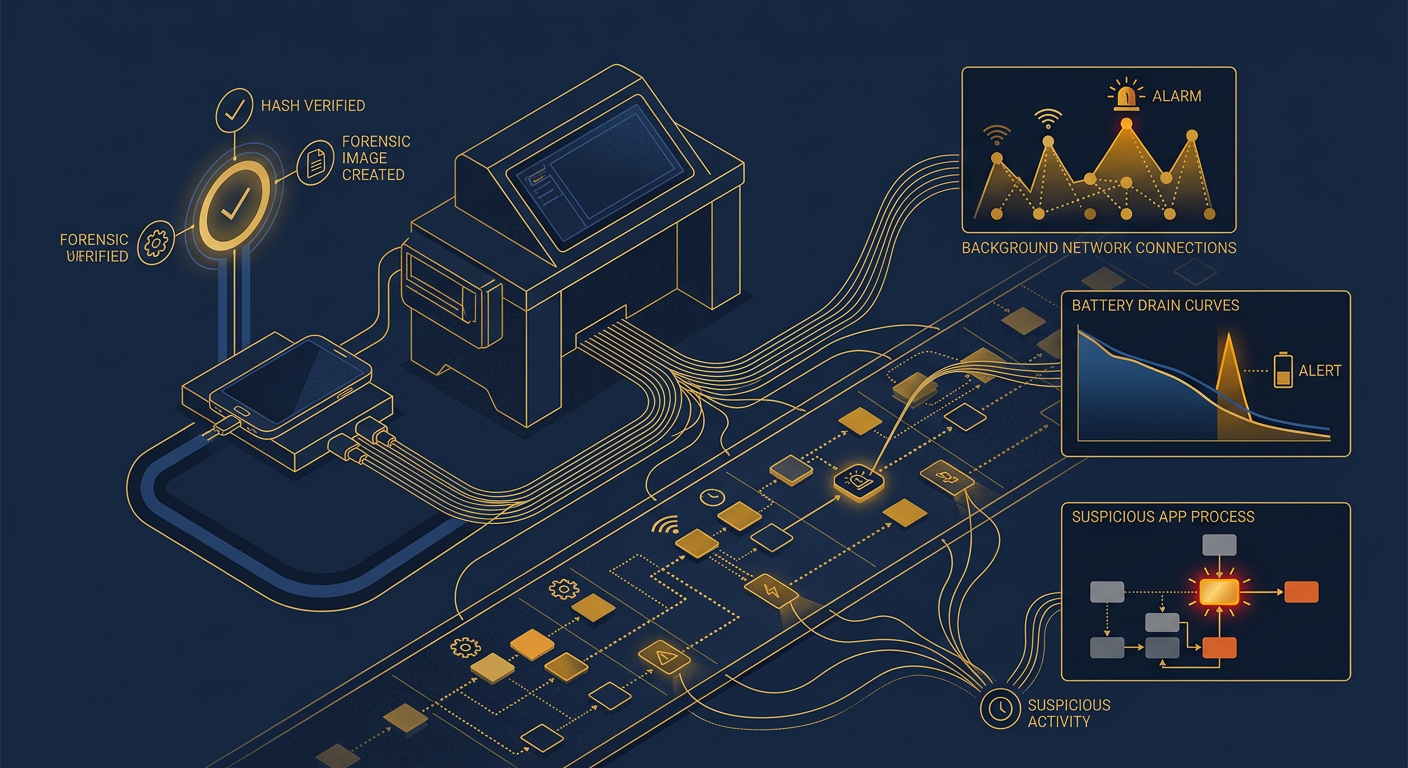
A competent mobile examination looks for the things spyware cannot avoid leaving behind: installed-application inventories including sideloaded and hidden packages; elevated-privilege artifacts such as device-admin grants, MDM payloads, and configuration profiles; persistence mechanisms that relaunch the software after reboot; system and application logs that record installs, permission grants, and background activity; network and connection records that reveal where data has been sent; and account-level evidence—trusted devices, active sessions, login history, and forwarding rules—that exposes surveillance running through the cloud rather than the handset. Findings are correlated into a single timeline and, critically, cross-checked so that a benign parental-control app is not mistaken for covert stalkerware and vice versa.
Just as important, an examiner can render a defensible negative. “We found no evidence of monitoring software, unauthorized profiles, or anomalous account access” is a conclusion a consumer antivirus scan cannot honestly provide. For litigation, a protective-order application, or an internal investigation, that documented finding—supported by hash-verified acquisitions and a continuous chain of custody, consistent with NIST’s mobile forensics guidance—is what stands up under scrutiny.
What should you do first if you suspect spyware?
The instinct on suspecting surveillance is to “clean” the phone—delete the strange app, run a scan, factory-reset. In an abuse or legal context, that instinct is dangerous. Deleting the software destroys the very evidence needed to prove the intrusion, and in intimate-partner cases it can alert the abuser and escalate the risk. Preserve first. Act deliberately. Follow this sequence.
- Assess safety before technology. If the suspected installer is an abuser and the phone may be revealing your location, your physical safety comes first—use a separate, trusted device (a friend’s phone, a public computer) for any sensitive planning or calls for help.
- Do not delete, reset, or update yet. Removing the app or wiping the device erases evidence and may signal that you know. Leave the phone as it is until an examiner or advocate advises otherwise.
- Document from a different device. Photograph odd behavior, screenshot unfamiliar profiles or login alerts, and note dates, times, and any moment your phone was out of your control—using another device so you leave no trace on the suspect phone.
- Preserve the account, not just the phone. Review trusted devices and active sessions in your Apple/Google account from a clean device; capture what you see before changing anything, because much surveillance runs through the cloud.
- Isolate the device if appropriate. Where safe and advised, airplane mode or a Faraday bag stops further data from leaving—but in an active-abuse situation, a sudden change can itself be a tell, so coordinate this step with a professional.
- Engage a forensic examiner and, where relevant, counsel early. Legal authority and scope matter, especially for shared, employer-owned, or family devices. An examiner plans the acquisition so evidence is captured, not destroyed.
- Remediate only after preservation. Once evidence is secured, removal, credential resets, and a clean rebuild follow in the right order—so you end up both safe and, if needed, able to prove what happened.
How should at-risk and high-profile users approach this differently?
For survivors of domestic abuse and stalking, phone surveillance is not an IT problem—it is a safety problem, and the technical steps must never come before a safety plan. The location data on a monitored phone can be the difference between a controlled situation and a dangerous one, so removing spyware abruptly can provoke retaliation. Specialists in this space, including advocates aligned with the Coalition Against Stalkerware, consistently advise coordinating any device changes with a domestic-violence advocate and, where warranted, law enforcement. Preserving evidence discreetly can also support a protective order or prosecution—another reason not to wipe the phone in the first panicked hour.
For executives, board members, and UHNW principals, the threat model is broader. The concern is not only a personal adversary but corporate espionage, litigation opponents, and, at the extreme, targeted commercial spyware. Here the right posture is proactive rather than reactive: periodic device hygiene reviews, hardened account configurations, disciplined separation of personal and sensitive communications, and a trusted forensic partner on call before an incident, not after. A principal who waits until symptoms appear has often already lost the window to catch an intrusion cleanly. Discreet, scheduled examinations—treated like any other executive-protection measure—close that gap.
Representative scenario: the calls that arrived before the meetings
Consider a representative matter. A senior principal noticed that a counterparty in a contentious negotiation seemed to anticipate private positions—raising terms discussed only in encrypted messages and in-person conversations near the principal’s phone. The battery had also been draining faster, but that alone had been dismissed for months. Rather than delete anything, the principal preserved the device and reviewed account sessions from a separate laptop, capturing an unfamiliar trusted device before touching a setting. A forensic examination then identified a monitoring application installed during a service appointment when the phone had briefly been out of the principal’s control, along with a configuration profile granting it broad access. Because nothing had been wiped, the findings—hash-verified and documented—supported both remediation and the client’s legal strategy. This is an illustrative scenario, not a named client or claimed outcome, but it captures the pattern: symptoms were ambiguous, preservation was decisive, and only forensics turned suspicion into proof.
Frequently asked questions
Can I detect phone spyware myself without a professional?
You can spot warning signs—unfamiliar device-admin apps or configuration profiles, unexplained data spikes, self-changing settings, and unrequested login alerts—but you cannot confirm or rule out an infection on your own. Well-built stalkerware hides from consumer scanners and menus, and much surveillance runs through cloud accounts rather than the device. A clean antivirus result is not a clearance. Only a forensic examination of the device and its accounts produces a reliable, defensible answer.
Does a slow phone or hot battery mean I have spyware?
Usually not by itself. Battery drain, heat, and sluggishness are far more often caused by aging hardware, software updates, or ordinary background apps. These symptoms matter only when they are new, sudden, and appear alongside stronger indicators—an unexplained admin profile, anomalous uploads, settings changing on their own, or a known moment when your unlocked phone was in someone else’s hands. A cluster of signs around a specific event is what justifies a forensic look.
Should I factory-reset my phone if I think it is being monitored?
Not before evidence is preserved. A reset destroys the proof needed to establish who installed the software and when, and in an abuse situation it can alert the person surveilling you and escalate the danger. Preserve first: document from a separate device, capture account sessions, and consult a forensic examiner—and, for safety cases, a domestic-violence advocate—before removing anything. Remediation, including a clean rebuild, comes after preservation, not instead of it.
Can findings from a spyware examination be used in court?
Yes, when the examination is done correctly. Evidence must be acquired using tested methods, verified with cryptographic hashes, and maintained under a continuous chain of custody, with the exact tools and steps documented. Handled this way, findings can support protective orders, civil litigation, and criminal referrals. Evidence gathered informally—by deleting apps, resetting the device, or poking through settings—is often unusable and may be challenged, which is why preservation and professional handling matter from the first moment.
About Honeybadger Solutions
Honeybadger Solutions is an Arizona-licensed security and investigations firm providing digital forensics, cybersecurity, and full-spectrum investigations to organizations, counsel, principals, and at-risk individuals nationwide and internationally. Our digital-forensics, cybersecurity, financial-investigations, and background-intelligence capabilities are in-house and remote-by-design, conducted under recognized methodologies with hash-verified acquisitions, continuous chain of custody, and board- and court-ready reporting. We operate three Arizona offices—Casa Grande (headquarters), Phoenix, and Oro Valley—and support engagements across every Arizona venue, all U.S. jurisdictions, and abroad.
Suspect your phone is being monitored? Do not wipe it. Book a consultation online from a safe device to brief a digital-forensics lead and preserve the evidence before it is lost. Confidential. Defensible. Nationwide.
Authoritative references: U.S. Federal Trade Commission, “Stalkerware: What To Know”, the Coalition Against Stalkerware, and NIST SP 800-101 Rev. 1, Guidelines on Mobile Device Forensics.
Browse by topic
Security guard services · Private investigations · Cybersecurity · Digital forensics · Financial fraud investigation · Executive protection · All articles