
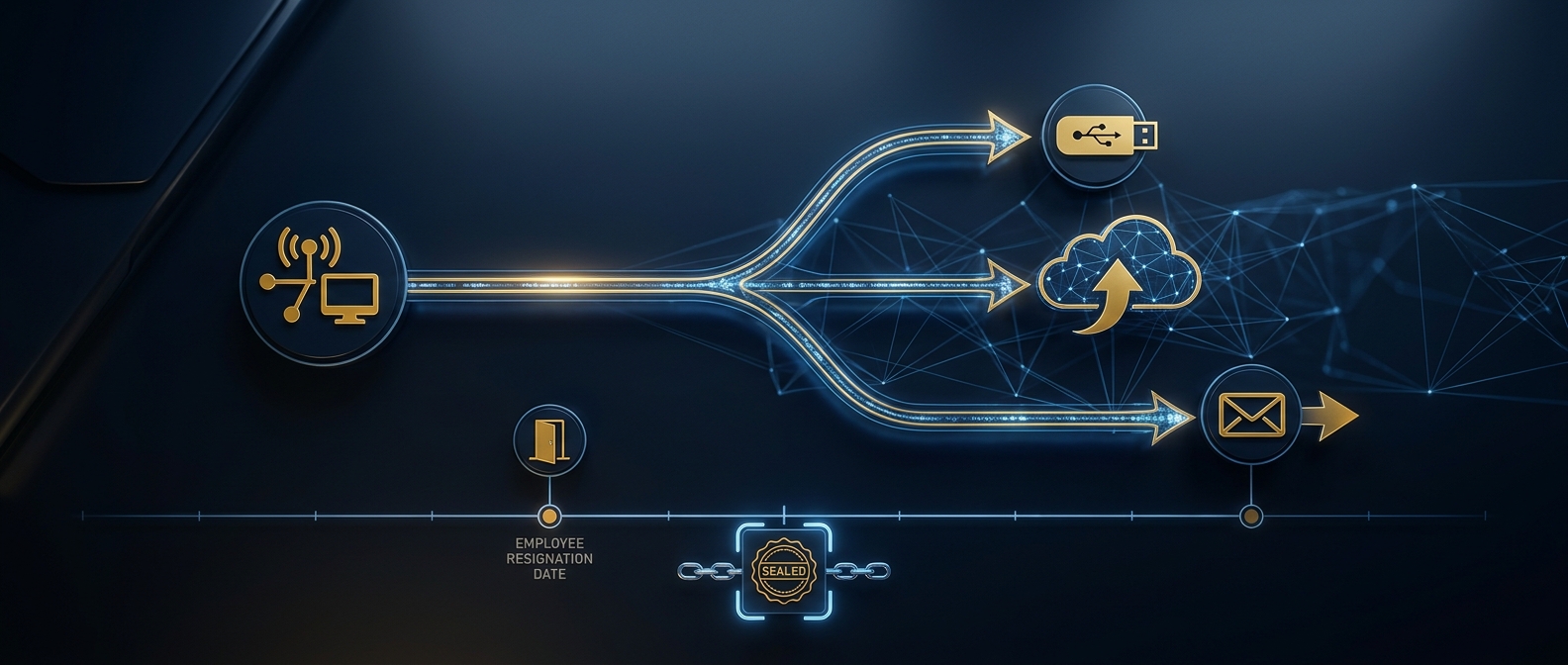
A departing-employee data-theft investigation is a forensic reconstruction of whether a resigning or terminated worker copied, synced, or emailed confidential data on their way out — and, if so, what, when, where it went, and whether it can be proven in court. It relies on three artifact families: removable-media (USB) history on the endpoint, cloud-sync and personal-webmail traces, and email-forwarding records. The work must begin with preservation before the device is wiped or reissued, because the evidence that proves exfiltration is fragile and easily destroyed by routine IT offboarding.
Few security events are as predictable, or as routinely mishandled, as the employee who leaves with data that is not theirs. It happens most often in the final two weeks: a salesperson departing for a competitor copies the client book, an engineer syncs source code to a personal cloud, a controller forwards financial models to a personal inbox. By the time anyone suspects it, the laptop has usually been wiped and handed to the next hire, and with it went the proof. This guide is written for the general counsel, business owner, or family-office principal who needs to understand what a world-class departing-employee investigation actually involves — how data leaves, where the traces live, why the offboarding routine is the enemy of the case, and how the forensic record connects to trade-secret law and litigation.
Why does a departing employee require a forensic investigation, not just an HR conversation?
The instinct when someone resigns for a competitor is to have a stern exit interview, collect the laptop, and move on. That instinct is exactly how organizations forfeit their leverage. The questions that decide whether a company can protect its trade secrets — and the questions a court will ask before granting an injunction — cannot be answered by a conversation. Did the employee copy files to a USB drive, and which files? Did they upload a folder to personal Google Drive or Dropbox the night before resigning? Did they set their mailbox to forward to a personal address, or send attachments to themselves? Are the files now in the hands of a competitor? Each answer lives in machine evidence that is time-limited, easily overwritten, and destroyed by the very offboarding process most IT departments run on autopilot.
The distinction that separates a defensible matter from a hunch is the same one that governs all of digital forensics: evidence must be preserved before it is analyzed, and analyzed before the environment is changed. Wiping the laptop, reassigning the mailbox, and revoking cloud access are all normal offboarding steps — but performed before forensic preservation, they overwrite the record that proves what left the building. A departing-employee matter is not an IT ticket; it is a potential trade-secret case, and it must be handled from the first hour as if a judge will eventually review every action taken.
Which channels do departing employees actually use to steal data?
Data does not vanish; it moves through a channel, and every channel leaves a different forensic signature. Understanding the channels tells the examiner where to look and what each trace can prove. The table below maps the exfiltration methods seen most often in departing-employee matters, the primary artifacts they generate, and what those artifacts establish. No single artifact makes a case — the proof is built by correlating several across a timeline anchored to the resignation date.
| Exfiltration channel | Primary forensic artifacts | What it can prove |
|---|---|---|
| USB / removable media | Registry USBSTOR & USB keys, setupapi.dev.log, Event Log device events, LNK files, jump lists, shellbags | A specific device was connected at a specific time and specific files/folders were accessed or opened from it |
| Personal cloud sync (Drive, Dropbox, OneDrive personal) | Sync-client logs, local sync folders, browser upload history, prefetch, filesystem timestamps | Files were copied into a personal cloud folder or uploaded via browser, with volume and timing |
| Personal webmail / self-email | Mailbox audit logs, message trace, sent-items, attachment records, browser history | Documents were emailed to a personal or external address, with recipients and timestamps |
| Auto-forwarding rules | Mailbox inbox/forwarding rules, admin audit log, mail-flow trace | A rule was set to siphon inbound mail to an outside address, and when it was created |
| Mass file access / staging | $MFT, USN journal, file-access timestamps, prefetch, recent-docs | An abnormal burst of file copying or archive creation before departure |
| Printing / screenshots / photos | Print spooler logs, event logs, screenshot artifacts | Sensitive material was printed or captured when digital copy was blocked |
| Cloud-to-cloud & SaaS export | M365 / Google Workspace audit logs, download/export events, sharing-link changes | Corporate data was downloaded in bulk or shared externally from SaaS platforms |
The pattern that betrays intent is rarely a single act. It is the convergence — a USB device connected at 11 p.m., a burst of file opens from a sensitive folder, a personal-cloud sync spike, and a resignation email the next morning. A competent examiner reads these signals together, against the calendar, so the story is not “a file moved” but “this person, on this night, staged and removed these specific files days before leaving for a named competitor.”
What USB and local artifacts prove data was copied to removable media?
USB theft remains the most common and, forensically, the most traceable channel — because Windows keeps a remarkably durable record of every device ever attached. When a thumb drive or external disk is plugged in, the operating system records its vendor, product, and unique serial number in the registry (the USBSTOR and related keys), writes a first-connect entry to setupapi.dev.log, and generates device-installation and connection events in the Windows Event Log. Together these establish that a specific physical device — not just “a USB drive,” but that one, by serial number — was connected to the corporate machine, and precisely when.
Connection is only half the story; the examiner must also show what was done with the device. This is where file-interaction artifacts matter. LNK shortcut files and jump lists record recently opened documents and the volumes they lived on, so a file opened from removable media leaves a trace even after the drive is gone. Shellbags preserve evidence of folders browsed on that device. The $MFT and USN change journal on the corporate drive can reveal a burst of file access or copying consistent with staging, and prefetch shows which programs (an archiver, a file-copy utility) ran and when. Correlated, these answer the question a court cares about: not merely that a device touched the machine, but that identifiable confidential folders were opened from or copied to it in the days before departure.
The critical caveat is fragility. Registry device history, LNK files, and the USN journal can be overwritten, rotated, or destroyed by continued use of the machine — and are erased entirely by the reimaging that offboarding usually triggers. Once IT hands the laptop to the next employee, this evidence is generally unrecoverable. That is why the endpoint must be preserved as a forensic image before anyone logs into it again.

How do cloud-sync and personal webmail leave a trail?
Modern exfiltration increasingly bypasses USB entirely. It is easier, and often less suspicious, to drag a folder into a personal Google Drive or Dropbox client, upload files through a browser, or email documents to a personal address. Each method leaves its own trail. Personal cloud-sync clients write local logs and maintain sync folders on the endpoint; their presence, the files they contain, and their timestamps can show that corporate data was copied into a personal account. Browser history and cache preserve evidence of uploads to webmail or file-transfer sites. Where the corporate environment is Microsoft 365 or Google Workspace, the platform’s own audit logs record downloads, bulk exports, and the creation of external sharing links — a favored trick is to share a corporate folder to a personal address, then accept it from outside.
Email is the oldest channel and still one of the most productive. Mailbox audit logs and message trace show messages sent to personal or external addresses, the attachments they carried, and when they were sent. Auto-forwarding rules — configured to copy inbound mail to an outside address — are a classic departing-employee move and leave a dated record in the mailbox rules and admin audit log. As with the cloud logs in a business email compromise, these platform records are governed by fixed retention windows and can age out in as little as 30 to 90 days by default, which makes early preservation as urgent here as it is on the endpoint. The forensic principle is identical to the discipline our cyber services team applies to any cloud investigation: capture the logs to an independent, hashed store before the account is disabled and the trail expires.
Why does evidence preservation determine whether the case survives?
Preservation is the hinge on which every departing-employee matter turns — and it is where most cases are lost before they begin. The threats to the evidence are not the departing employee; they are the organization’s own well-meaning routines. IT wipes and reissues the laptop. HR closes the mailbox and it is purged. The cloud account is deleted, taking its logs. A manager “takes a look” at the machine and, in doing so, alters timestamps and overwrites artifacts. Every one of these is normal, and every one can be fatal to the case. A court asked later to sanction the departing employee will first ask what the company did to preserve the evidence — and a spoliation finding can fall on the party that destroyed its own proof.
A professional preservation protocol runs the moment theft is suspected, and before any offboarding step touches the assets:
- Quarantine the endpoint. Remove the laptop or workstation from service immediately — do not reimage, do not reissue, do not let anyone log in. Ideally power it down and secure it; every boot and login overwrites artifacts.
- Issue a litigation hold. Counsel places a written hold suspending routine deletion of the mailbox, cloud accounts, backups, and device — the legal trigger that stops automated destruction and protects against spoliation.
- Create a forensic image. Capture a bit-for-bit, write-blocked, hash-verified image of the endpoint, so all analysis is performed on a copy while the original is sealed under chain of custody.
- Preserve the cloud and email evidence. Export mailbox audit logs, message trace, forwarding rules, and SaaS audit logs to an independent hashed store before the account is disabled or its retention window lapses.
- Snapshot current-state configuration. Record forwarding rules, external shares, connected personal apps, and OAuth grants as they exist now, before remediation changes them.
- Document every responder action. Log who did what and when, so the investigation can distinguish legitimate response from any claim of tampering.
The order is not bureaucratic caution; it is the difference between a case you can prove and an accusation you can only assert. Organizations that preserve first routinely secure injunctions and return of data; organizations that wipe first often cannot even establish which files left.
How does the investigation connect to trade-secret law and litigation?
Forensic findings are only as valuable as the legal outcomes they enable, and departing-employee matters almost always run on parallel legal tracks. Under the federal Defend Trade Secrets Act (18 U.S.C. § 1836) and state trade-secret statutes, a company that can show a former employee misappropriated trade secrets may pursue injunctions, return or destruction of the data, and damages — but only if it can prove both that the information qualifies as a protected trade secret and that it was actually taken. The forensic record supplies the second half. Unauthorized copying to personal devices or accounts may also implicate computer-fraud statutes, and the conduct frequently intersects with non-compete, non-solicitation, and confidentiality agreements.
Because of this, the investigation should be run under the direction of counsel from the outset, so the work product is protected and the evidence is developed to legal standards. This is where an integrated firm matters: the forensic examiner establishes what was taken and how, while counsel frames the trade-secret claim and drives toward the remedy — typically a cease-and-desist, a preservation demand to the new employer, an expedited motion for a temporary restraining order or injunction, and negotiated return and forensic wiping of the stolen data. The methodology has to withstand an adversarial challenge, because opposing counsel will attack the chain of custody, the imaging process, and every inference the examiner draws. Findings that were gathered casually collapse under that pressure; findings developed to the standard our investigations and intelligence teams hold survive it. National guidance such as the NIST Guide to Integrating Forensic Techniques into Incident Response (SP 800-86) anchors the defensibility of the process end to end.
How does Honeybadger investigate departing-employee data theft?
Honeybadger Solutions investigates departing-employee data theft the way it must be done to hold up — preservation first, correlation second, remediation and legal action guided by evidence rather than assumption. Because our digital forensics, cybersecurity, financial-investigation, and background-intelligence capabilities are handled in-house and delivered nationwide and internationally, a suspected theft never fragments across disconnected vendors: the same command that forensically images the endpoint and reconstructs the USB history also preserves the mailbox and cloud logs, traces the personal-cloud sync, and builds the timeline that counsel needs for an injunction. We move fast against the retention clock, secure the endpoint before it is reimaged, and reconstruct the full exfiltration story — device by serial number, file by name, upload by timestamp — to a standard that survives cross-examination.
Our work supports the outcomes that follow the discovery — litigation hold, cease-and-desist, injunctive relief, negotiated return and verified destruction of stolen data, and where warranted law-enforcement referral — all under a single accountable chain of command and, where directed, under counsel’s privilege. From Arizona home command, with offices in Casa Grande, Phoenix, and Oro Valley, we serve executives, general counsel, families, and organizations across the United States and abroad, closing the gap between what an employee took and what can be proven and recovered.
Frequently asked questions
Can you prove a specific USB drive was used to steal files?
Often, yes. Windows records each connected device’s vendor, product, and unique serial number in the registry and setupapi log, with first- and last-connect times, so an examiner can show that a specific physical device — not just “a USB drive” — was attached and when. File-interaction artifacts such as LNK files, jump lists, and shellbags can further show that identifiable confidential folders were opened from or copied to that device, provided the machine was preserved before it was reused.
What is the single biggest mistake companies make?
Reimaging and reissuing the departing employee’s laptop, or deleting their mailbox and cloud account, before a forensic image and log export are made. Standard offboarding destroys the very evidence that proves theft, and it can expose the company to a spoliation finding if litigation follows. The moment theft is suspected, the device should be quarantined, a litigation hold issued, and preservation performed before any offboarding step touches the assets.
What if the employee already left weeks ago?
It is harder but rarely hopeless. If the endpoint has not been reissued, much of the local evidence may survive. Cloud and email logs, however, age out on fixed schedules — often 30 to 90 days by default — so those should be preserved immediately even after a delay. Backups, SaaS audit logs, and the new employer’s own preservation obligations can also be leveraged. The sooner an examiner and counsel are engaged, the more can be recovered.
Should we confront the employee before investigating?
Generally no. Confronting a suspected data thief before evidence is preserved gives them time and motive to delete cloud copies, wipe personal devices, and coordinate a story — and it tips off a new employer. The disciplined sequence is to preserve the evidence quietly, complete the forensic reconstruction under counsel’s direction, and then act from a position of proof, whether through a cease-and-desist, negotiation, or an expedited injunction.
About Honeybadger Solutions
Honeybadger Solutions is an Arizona-licensed security and investigations firm delivering intelligence-led forensics, investigations, and cyber services to executives, general counsel, families, and organizations nationwide and internationally. Digital forensics, cybersecurity, financial investigations, and background intelligence are handled in-house, so a departing-employee data theft is preserved, investigated, and supported through litigation under a single accountable chain of command — against the clock and to a defensible standard.
Offices: Casa Grande (HQ), Phoenix, and Oro Valley, Arizona.
Phone: 602-725-2818
Confidential consultation: engage our command team before you reissue the laptop or close the account.